Before you start
Log in
- Open the workspace URL your trainer gives you.
- Sign in with the account you received. Change the temporary password if asked.
- In the left navigation, confirm you can see SQL Editor, Genie, Agents and Playground. If any is missing, tell the trainer.
Set up your data
Nobody has prepared any data for you — you create your own with one click. Nothing to download or clone by hand; one notebook import does it.
-
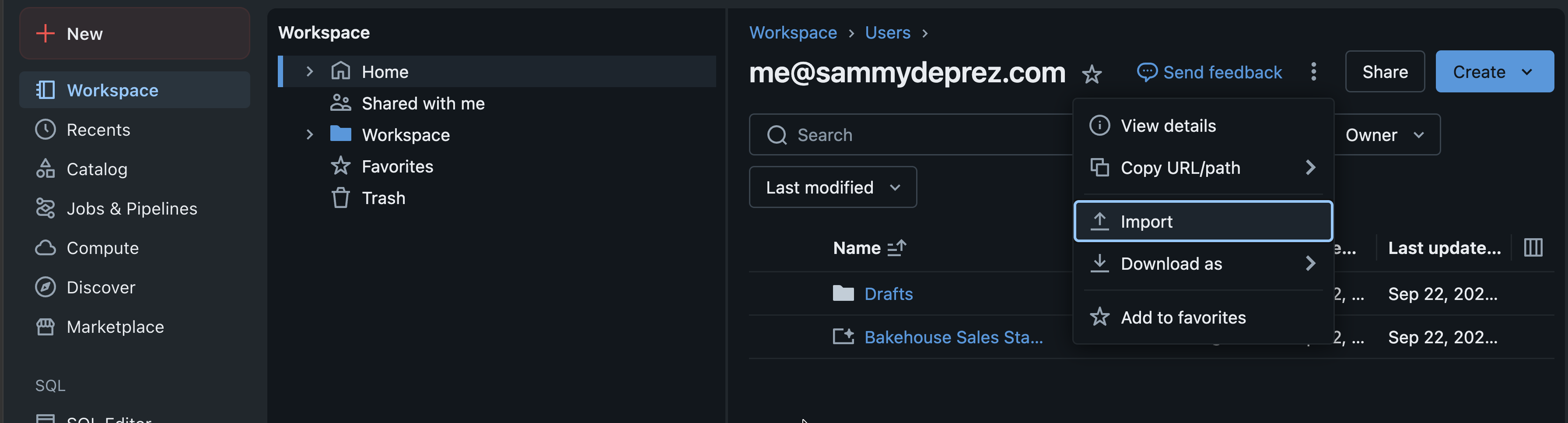
In the left navigation, open Workspace. Next to Create in the top right, click ⋮ and choose Import.
-
Select URL and paste:
https://raw.githubusercontent.com/sammydeprez/databricks-agents-training/develop/notebooks/lab_data.py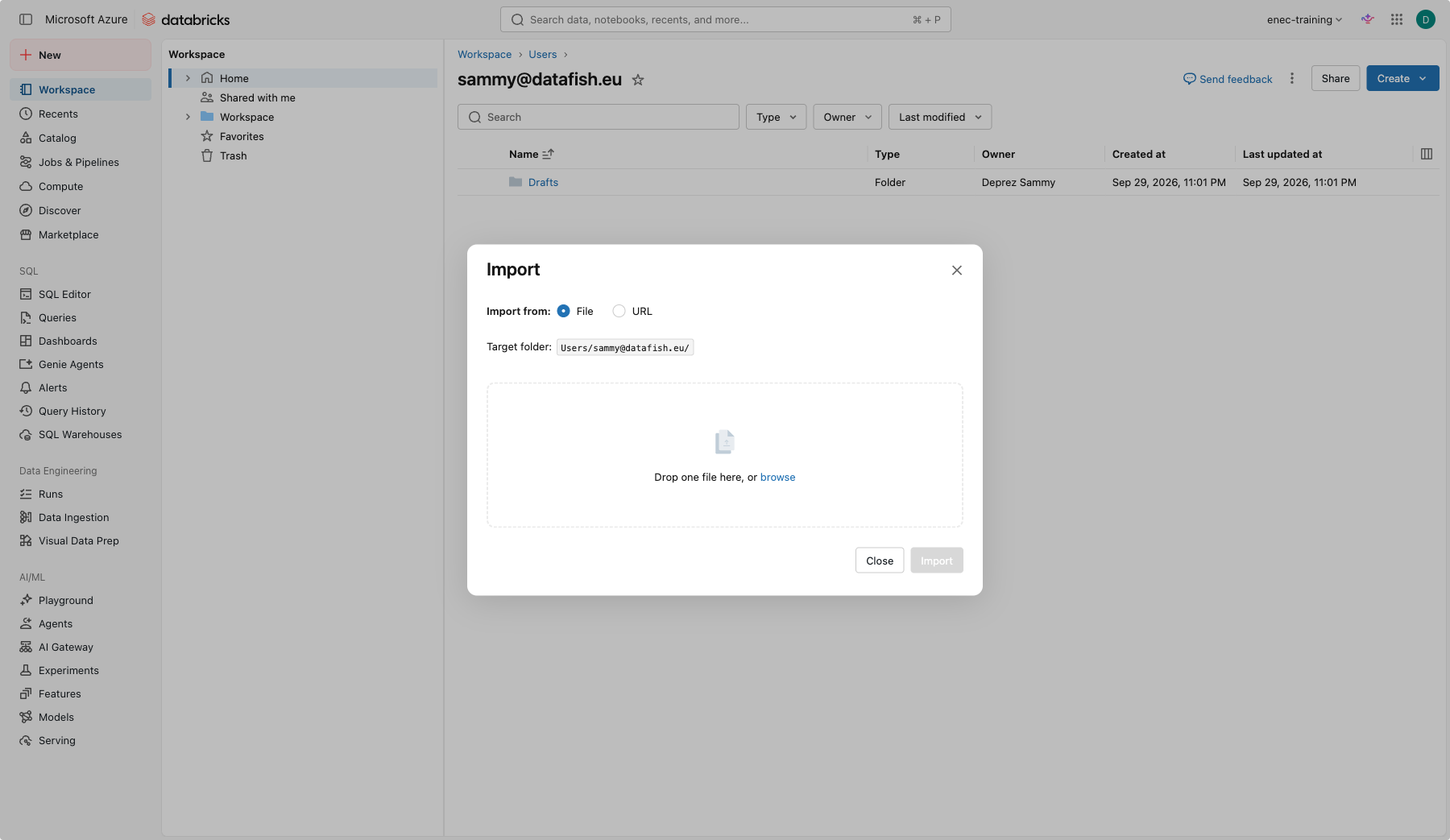
-
Click Import, open the notebook it creates (called lab_data), leave the setting on Set up my data, and click Run all at the top. It takes under a minute. Leave Catalog empty unless your trainer gives you a catalog name — then type it there.
-
At the bottom, note the catalog and schema it prints, for example
enec_training.jsmith. From here on, wherever this guide saysyour_catalog.your_schema, use that; wherever it saysyour-name, use the dashed version it also prints (for examplejsmith).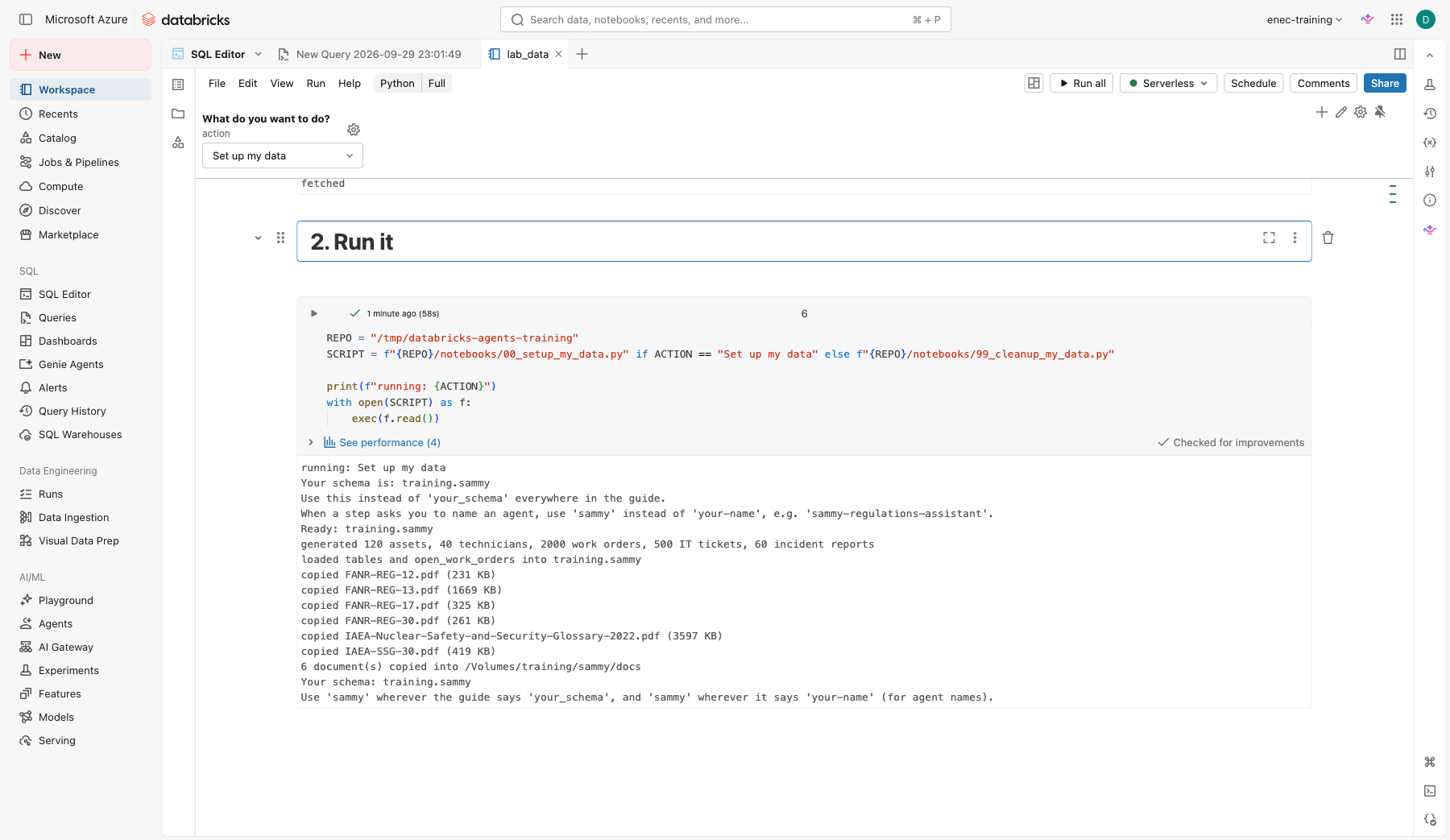
Keep this notebook — you'll use it again at the end of Day 2 to clean up, and it's safe to re-run at any point in between too, for example if something looks broken. It replaces your data rather than failing because it already exists.
Your schema now contains:
| Table | Rows | Used in |
|---|---|---|
work_orders |
2,000 | Lab 2, Lab 5 |
assets |
120 | Lab 2 |
technicians |
40 | Lab 2 |
it_tickets |
500 | Lab 3 |
incident_reports |
60 | Trainer demo |
meeting_transcripts |
10 | Lab 3, capstone |
monthly_kpis |
48 | Capstone |
And a volume docs with the public regulation PDFs used in Lab 4, plus a memo_templates subfolder
used by the capstone, both copied in automatically.
Vocabulary you will hear today
| Term | Plain meaning |
|---|---|
| LLM | The model that reads and writes text |
| Prompt | What you type to the model, including instructions |
| Token | A piece of a word; models charge and limit by tokens |
| RAG | The model looks things up in your documents before answering |
| Agent | A model that can decide to use tools (run SQL, search documents) |
| Unity Catalog | Where tables, files, functions and agents live, with permissions |
Conventions in this guide
- Bold menu names are things to click, in the order written: Configure > Instructions.
- Code blocks have a copy button in the top right corner.
- Replace
your_catalog,your_schemaandyour-namewith the names the setup notebook printed for you, everywhere.