Lab 4: Knowledge Assistant, "ask the regulations"
Goal: a question and answer agent over public regulatory documents, with citations, that you improve with feedback. Code written: none.
Start this on Day 1
The first sync of the documents can take up to a few hours. Do Part A at the end of Day 1 so the agent is ready on Day 2. A trainer-built copy exists as a backup.
Documents: public regulations from the national nuclear regulator (FANR) and selected IAEA safety standards, copied into your volume your_catalog.your_schema.docs when you ran the setup notebook. See Materials for the list and sources.
Part A: create the agent (Day 1)
-
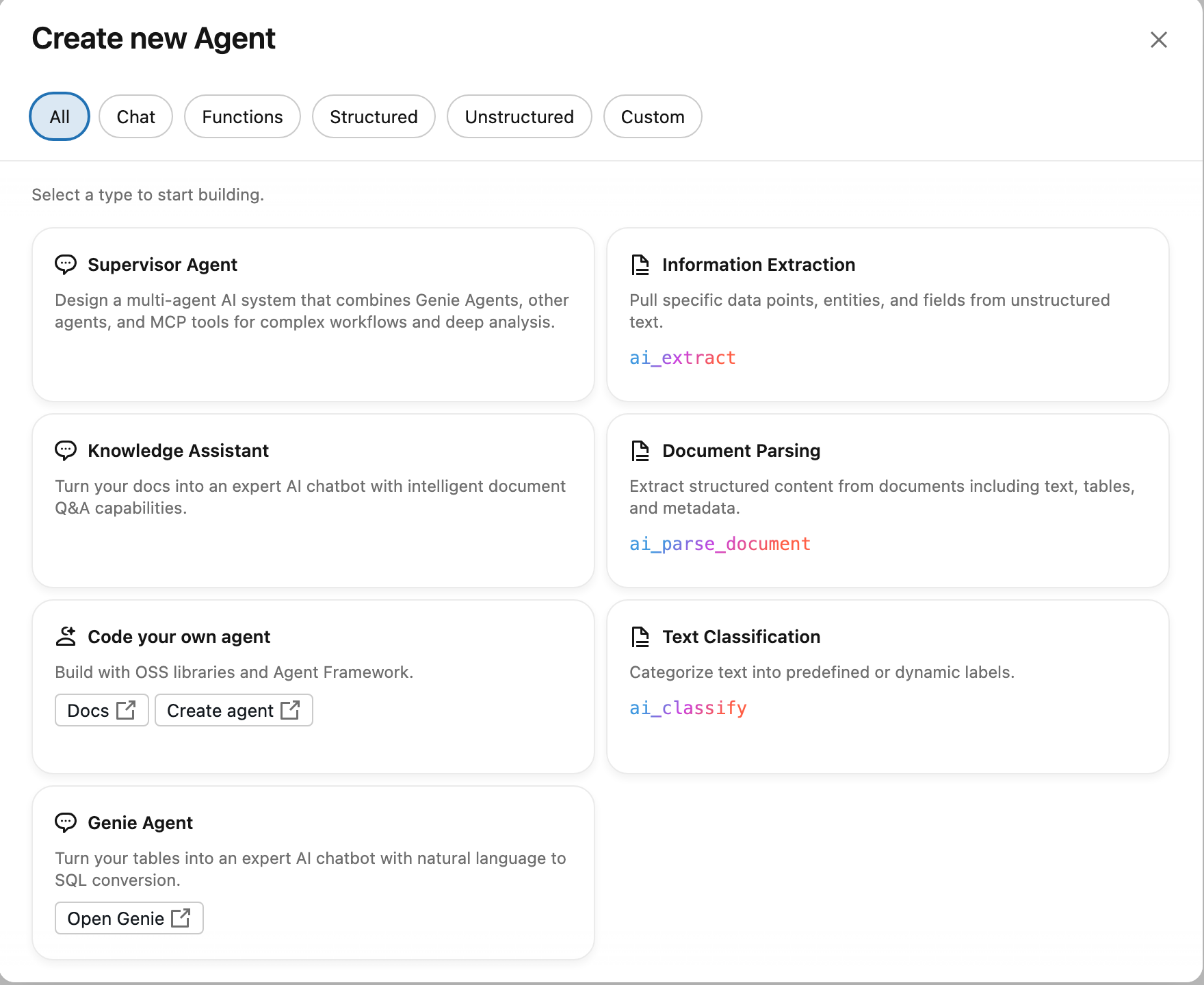
Open Agents in the left navigation, click Create Agent, choose Knowledge Assistant.
-
Name:
your-name-regulations-assistant(only letters, numbers and dashes are allowed — use the dashed name the setup notebook printed for you). - Description:
Answers questions about published nuclear regulations and IAEA safety standards, with citations. -
Under Configure Knowledge Sources, keep type Files in a Volume, pick
your_catalog.your_schema.docsas the source, name itregulations, and in Describe the content write:Public FANR regulations and IAEA safety guides in PDF.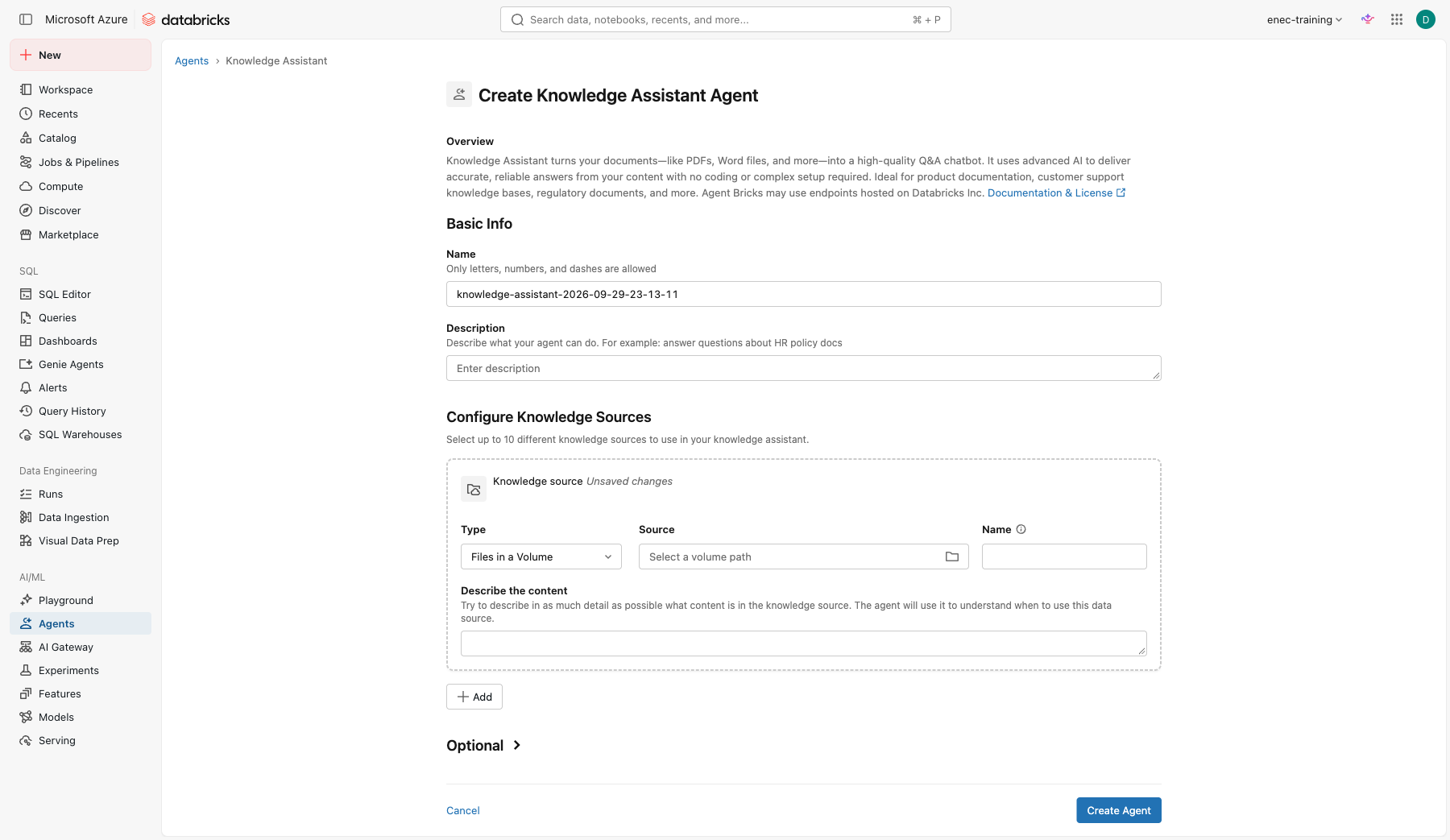
-
Expand Optional and add these instructions — same pattern as Lab 1 and Lab 2, mostly rules and one explicit refuse ("do not guess"):
Answer only from the documents provided. Always cite the document and article. If the answer is not in the documents, say so and do not guess. Answer in the language of the question (English or Arabic). -
Click Create Agent. Leave it to sync overnight.
Part B: test it (Day 2)
Open the agent and ask the questions on your question sheet. For each:
- Click View sources and check the cited document and article.
- Click View thoughts to see how the answer was assembled.
- Score the answer 0, 1 or 2 on the sheet (wrong, partly right, right and correctly cited).
Try two trick questions as well:
What is the maximum allowed reactor power at Unit 3?
Summarise the requirements for operator certification in three bullets, in Arabic.
Check yourself
- What did the agent do when the answer was not in the documents? Is that the behaviour you want?
- Did the citation point to the right article or only to the right document?
Part C: improve it
- Open Improve quality.
- For an answer that scored 0 or 1, add an Example: the question, the answer you expected, and a Guideline explaining why (for example "When asked about training requirements, cite the specific article number").
- Save and re-ask the question.
- Repeat for two questions. Track the score before and after on the sheet.
Check yourself
- Who in a real department should write these guidelines?
- What happens when a regulation is updated? What has to change in the agent?
Stretch
Open the agent in AI Playground and click Get code. Read how an application would call this agent. Discuss: where would a human check the answer before it reaches a decision?